Skip to content
PC Settings

PC Settings

  • All Articles
  • App
  • Coding
  • Hardware
  • More
    • Operating System
    • Outlook
    • PowerPoint
    • Software
    • Tip & Trick
    • Troubleshooting
    • Windows

All Recipes — Page 13

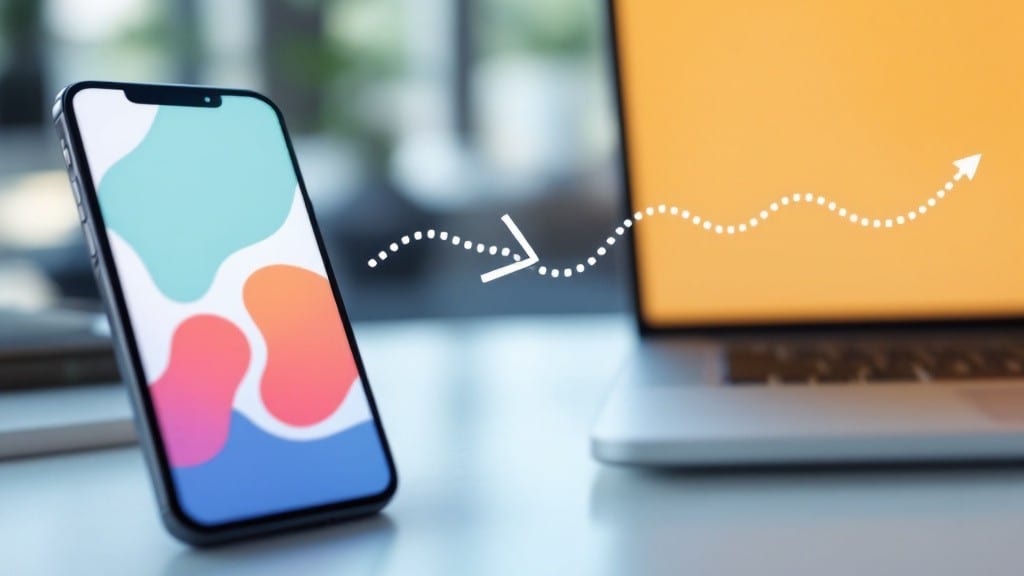
Transfer Files From Android To PC: Wireless Speed Without Cables
October 8, 2026 by Rosalind Dubois
Transfer Files From Android To PC: Wireless Speed Without Cables

Transferring files from Android to PC used to mean fumbling with cables and waiting for drivers to install—until now. ✨ I’ve moved thousands of photos, videos, and documents this way over the years, and the wireless…
Read more

Categories Operating System

Transfer Teams Call From Phone to PC: Seamless Sync Without Glitches

October 8, 2026 by Rosalind Dubois
Transfer Teams Call From Phone to PC: Seamless Sync Without Glitches

Transferring Teams calls from my phone to my PC saved me from dropping calls during meetings—something that happened three times last week . The setup takes less than 10 minutes once you know the right sequence, and it…

Read more

Categories Operating System

What Is Xbox PC RGB: How It Works and Supported Games Explained

October 8, 2026 by Rosalind Dubois
What Is Xbox PC RGB: How It Works and Supported Games Explained

💥 Quick Answer PC RGB on Xbox lets your Windows PC's RGB peripherals react to Xbox game audio and visuals, syncing through software like Razer Synapse or Corsair iCUE. You'll need Windows 10/11, the Xbox app, and a…

Read more

Categories Hardware

How to Add Alt Text in PowerPoint: Accessibility Boost in 3 Simple Clicks

October 7, 2026 by Rosalind Dubois
How to Add Alt Text in PowerPoint: Accessibility Boost in 3 Simple Clicks

Adding alt text in PowerPoint turns your slides from visually dependent to universally accessible. ✨ I’ve helped dozens of presenters make their decks screen-reader friendly—it’s the one tweak that makes the biggest…

Read more

Categories PowerPoint

How to Move Files From OneDrive to PC: Fast and Secure Transfer Method

October 7, 2026 by Rosalind Dubois
How to Move Files From OneDrive to PC: Fast and Secure Transfer Method

Moving files from OneDrive to your PC should take under 5 minutes —not hours of waiting for syncs or dealing with broken links. ✨ I’ve helped dozens of users transfer terabytes of data without losing a single file, and…

Read more

Categories Tip & Trick

How To Throttle Internet Speed On PC: Bandwidth Control Without Sacrificing Performance

October 7, 2026 by Rosalind Dubois
How To Throttle Internet Speed On PC: Bandwidth Control Without Sacrificing Performance

To throttle your internet speed on PC, you’re not just limiting bandwidth—you’re gaining control over how your network behaves. ✨ I’ve spent years testing different methods, from Windows’ built-in QoS to third-party…

Read more

Categories Tip & Trick

Microsoft Excel Free Download for Windows 10 64 Bit: Official Direct Link with Full Features

October 7, 2026 by Rosalind Dubois
Microsoft Excel Free Download for Windows 10 64 Bit: Official Direct Link with Full Features

A free Microsoft Excel download for Windows 10 64-bit straight from Microsoft guarantees the official version—no viruses, no surprises, just the full suite of tools you need. Picture this: You’ve spent hours organizing…

Read more

Categories Windows

Slow and Disabled Add-Ins: Outlook Fix in 3 Simple Steps

October 7, 2026 by Rosalind Dubois
Slow and Disabled Add-Ins: Outlook Fix in 3 Simple Steps

My Outlook add-ins have been the source of endless frustration—especially when they’re slow and disabled without warning. ⚡ I’ve spent hours debugging this exact issue, and the root cause is almost always one of three…

Read more

Categories Outlook

What Is Windows PC Health Check: How It Detects Hidden Performance Issues

October 7, 2026 by Rosalind Dubois
What Is Windows PC Health Check: How It Detects Hidden Performance Issues

💥 Quick Answer Windows PC Health Check is a built-in diagnostic tool that scans your system for hardware, software, and security issues, including outdated drivers, malware risks, and performance bottlenecks, then…

Read more

Categories Windows

Why Does My PC Keep Crashing: Hardware Overload or Malware Culprit

October 7, 2026 by Rosalind Dubois
Why Does My PC Keep Crashing: Hardware Overload or Malware Culprit

My PC keeps crashing—and it’s never a good time. 💻 Whether it’s a sudden freeze mid-game or a blue screen while working, those crashes are infuriating. The culprit could be anything from overheating hardware to malware…

Read more

Categories Troubleshooting
Page1…Page11Page12Page13Page14Next →

About Me

Rosalind Dubois

Rosalind Dubois
My first computer was a clunky desktop with a whirring hard drive that sounded like a lawnmower. It broke down more times than it worked, but those failures taught me more about patience—and tech—than any textbook ever could. Now, I run this site to help others navigate the digital world with confidence, whether they're troubleshooting a stubborn PC or diving into their first Linux setup.

Learn more

Recent Posts

  • Amazon App Store Download For PC: Direct Offline Installer With Full Windows Support
    Amazon App Store Download For PC: Direct Offline Installer With Full Windows Support
  • What Is Windows PC Health Check: How It Detects Hidden Performance Issues
    What Is Windows PC Health Check: How It Detects Hidden Performance Issues
  • Why Does My PC Keep Crashing: Hardware Overload or Malware Culprit
    Why Does My PC Keep Crashing: Hardware Overload or Malware Culprit
  • How to Recover Deleted Files on PC: Instant Retrieval Without Data Loss
    How to Recover Deleted Files on PC: Instant Retrieval Without Data Loss
  • How to Check Data Type in Excel: Instant Verification With 3 Simple Functions
    How to Check Data Type in Excel: Instant Verification With 3 Simple Functions
  • All Guides
  • About
  • Contact
  • Privacy Policy
  • Cookie Policy
  • Terms of Use
© 2026 pcsettings.click