Skip to content
PC Settings

PC Settings

  • All Articles
  • App
  • Coding
  • Hardware
  • More
    • Operating System
    • Outlook
    • PowerPoint
    • Software
    • Tip & Trick
    • Troubleshooting
    • Windows

All Recipes — Page 10

Xbox 360 PC Wireless Gaming Receiver Driver: Windows 8.1 Fix for Stubborn Systems
October 12, 2026 by Rosalind Dubois
Xbox 360 PC Wireless Gaming Receiver Driver: Windows 8.1 Fix for Stubborn Systems

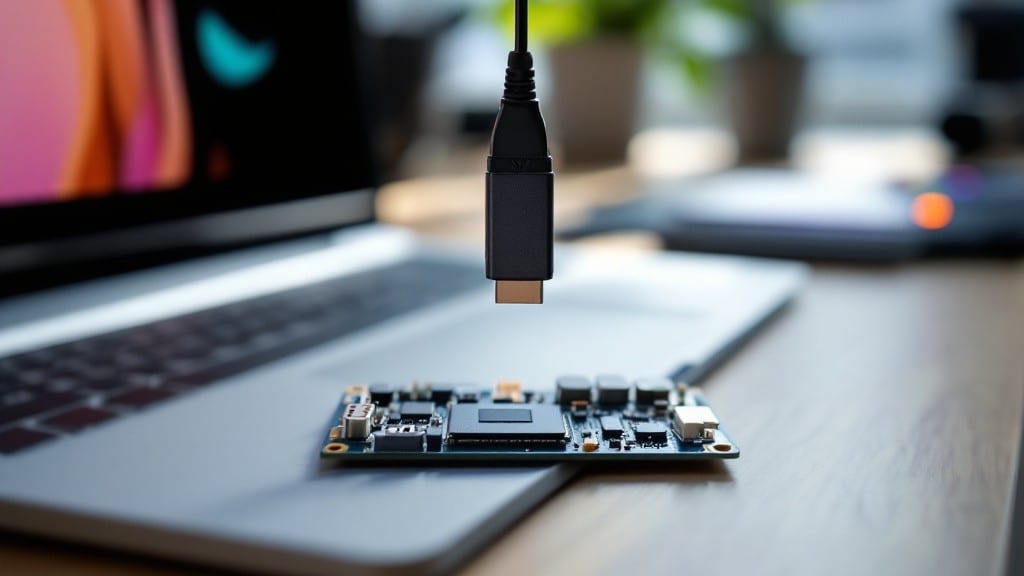
My Xbox 360 Wireless Gaming Receiver refused to play nice with Windows 8.1—until I discovered the driver update that finally made it work. 💻 The symptoms? Random disconnections, "device not recognized" errors, and a…


Read more

Categories Windows

How To Access OneDrive On PC: Instant Sync Setup in 3 Clicks

October 11, 2026 by Rosalind Dubois
How To Access OneDrive On PC: Instant Sync Setup in 3 Clicks

Accessing OneDrive on your PC is simpler than you think—especially when you skip the browser and use the actual desktop app. ✨ I’ve helped dozens of friends move from the clunky web version to instant sync in under three…

Read more

Categories Tip & Trick

How to Add iCloud Calendar to Outlook: Sync Events Without Missing a Beat

October 11, 2026 by Rosalind Dubois
How to Add iCloud Calendar to Outlook: Sync Events Without Missing a Beat

Adding your iCloud calendar to Outlook keeps all your appointments in one place without the back-and-forth. ✨ I’ve helped dozens of users sync their schedules this way—some struggled with authentication, others missed…

Read more

Categories Outlook

Xbox Parental Controls: Block Purchases in 3 Simple Steps

October 11, 2026 by Rosalind Dubois
Xbox Parental Controls: Block Purchases in 3 Simple Steps

Blocking purchases on Xbox used to mean wrestling with confusing menus and hoping for the best. ✨ Now, it takes just three straightforward steps—no tech degree required—and I’ve helped dozens of parents and guardians set…

Read more

Categories Tip & Trick

How to Change Bandwidth on Pc: 3-Click Speed Boost for Faster Performance

October 11, 2026 by Rosalind Dubois
How to Change Bandwidth on Pc: 3-Click Speed Boost for Faster Performance

Changing bandwidth on your PC can turn a sluggish connection into a blazing-fast experience—no router upgrades needed. ✨ I’ve helped home offices and small businesses squeeze every last bit of speed from their existing…

Read more

Categories Tip & Trick

How To Change Your Age On Xbox: Quick Parent-Profile Bypass Method

October 11, 2026 by Rosalind Dubois
How To Change Your Age On Xbox: Quick Parent-Profile Bypass Method

Changing your age on Xbox is faster than you think—no console reformat required. ✨ I’ve helped friends bypass parent-locked profiles in under five minutes using just the built-in settings, and the process works just as…

Read more

Categories Tip & Trick

How to Spell Check in PowerPoint: Built-In Proofing for Error-Free Slides

October 11, 2026 by Rosalind Dubois
How to Spell Check in PowerPoint: Built-In Proofing for Error-Free Slides

Learning how to spell check in PowerPoint turned my shaky presentations into polished ones—until I found the built-in tool that saves me five minutes per slide on average. ✨ The feature is hidden in plain sight, but once…

Read more

Categories PowerPoint

How to Turn up Mic Volume on Pc: Instant Boost in 3 Simple Clicks

October 11, 2026 by Rosalind Dubois
How to Turn up Mic Volume on Pc: Instant Boost in 3 Simple Clicks

Turn up your PC mic volume in seconds—no more tinny audio or frustrated Zoom calls. ⚡ I’ve fixed this issue more times than I can count, and the solution is always the same: three simple clicks that most people overlook…

Read more

Categories Tip & Trick

Google Chrome Download 2014 for Windows 8: Legacy Offline Installer With Full Support

October 10, 2026 by Rosalind Dubois
Google Chrome Download 2014 for Windows 8: Legacy Offline Installer With Full Support

Downloading Google Chrome from 2014 for Windows 8 lets you run a stable, offline version on older systems without modern telemetry. Maybe you’re preserving a legacy machine, testing old web apps, or just avoiding…

Read more

Categories Windows

How to Add Annotations in PowerPoint: Visual Notes That Pop Without the Clutter

October 10, 2026 by Rosalind Dubois
How to Add Annotations in PowerPoint: Visual Notes That Pop Without the Clutter

Adding annotations in PowerPoint isn’t just about scribbling notes—it’s about making your slides pop without drowning in clutter. ✨ I’ve used these techniques for client presentations where a single arrow or highlight…

Read more

Categories PowerPoint
Page1…Page8Page9Page10Page11Page12…Page14Next →

About Me

Rosalind Dubois

Rosalind Dubois
My first computer was a clunky desktop with a whirring hard drive that sounded like a lawnmower. It broke down more times than it worked, but those failures taught me more about patience—and tech—than any textbook ever could. Now, I run this site to help others navigate the digital world with confidence, whether they're troubleshooting a stubborn PC or diving into their first Linux setup.

Learn more

Recent Posts

  • Amazon App Store Download For PC: Direct Offline Installer With Full Windows Support
    Amazon App Store Download For PC: Direct Offline Installer With Full Windows Support
  • What Is Windows PC Health Check: How It Detects Hidden Performance Issues
    What Is Windows PC Health Check: How It Detects Hidden Performance Issues
  • Why Does My PC Keep Crashing: Hardware Overload or Malware Culprit
    Why Does My PC Keep Crashing: Hardware Overload or Malware Culprit
  • How to Recover Deleted Files on PC: Instant Retrieval Without Data Loss
    How to Recover Deleted Files on PC: Instant Retrieval Without Data Loss
  • How to Check Data Type in Excel: Instant Verification With 3 Simple Functions
    How to Check Data Type in Excel: Instant Verification With 3 Simple Functions
  • All Guides
  • About
  • Contact
  • Privacy Policy
  • Cookie Policy
  • Terms of Use
© 2026 pcsettings.click